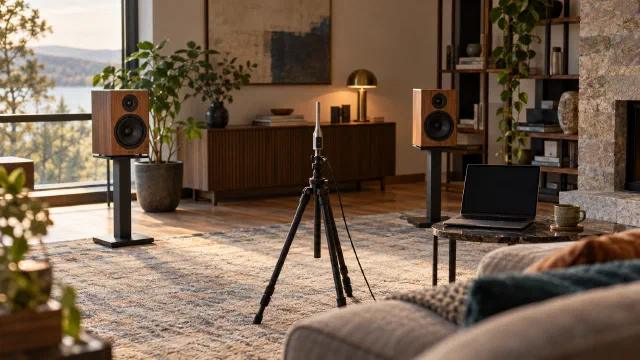
Move a chair a little and the bass changes. Before blaming the amplifier, examine how speakers, listening position and room interact. Room EQ Wizard, or REW, helps measure that interaction. The result includes the chain present during the test, not a room isolated from its loudspeaker.
Prepare a measurement you can repeat
You need a computer running REW, a measurement microphone and a compatible audio path. A calibrated USB microphone is one option; an analogue microphone also needs the appropriate interface and power. The instrument’s price does not replace checking the setup.
Load the calibration file for your individual microphone and chosen orientation. For UMIK-1, miniDSP distinguishes on-axis and 90° files . Choose according to where you point the microphone. Use a stable stand and record position, channel, volume and settings.
The first session
- Select the correct input and output in REW; check that sound reaches the intended channel.
- Begin at low levels and check for clipping. Choose a sweep range and duration compatible with the speaker and system; no universal setting is safe for every driver.
- Measure channels separately under comparable conditions. For a subwoofer, record the crossover, phase and delay settings actually used, where adjustable.
- Save and repeat the measurement to check consistency. Then investigate nearby listening positions, distinguishing them from repeats at the same point.
The REW measurement guide explains level checks, sweeps and timing references. A clipping warning or unexpected noise means stop and correct the setup, not raise the volume further.
Read frequency and time together
Frequency response shows peaks and dips at the measured location. Waterfalls and spectrograms help show how energy develops over time; scale, window and noise floor affect what you can see. Keep comparison settings consistent before and after changes.
Do not turn an RT60 figure into a universal verdict on a small room. At low frequencies, where individual modes matter, the assumption of evenly distributed sound energy may not hold. Inspect decay behaviour and differences between positions rather than seeking one decisive number.
What to ask of EQ
Try speaker placement, listening position and subwoofer integration first. A deep cancellation dip is a poor target for a large boost: it can consume headroom and strain the system without usefully filling the dip.
EQ affects both frequency and time. It can reduce peaks and improve some resonant behaviour, but it does not change the room’s physical absorption or reverse every cancellation and reflection. A cut does not require the same headroom as a boost; still account for total gain and the combined bands. Filter count alone does not establish correction quality.
Measure again, then listen
REW’s Predicted curves are estimates, not new measurements. To apply the correction, transfer the filters to a compatible equaliser and check the format and sample rate against the REW EQ documentation . Then measure the system with those filters actually active.
Compare measurements with filters on and off under matching conditions. Check that improving one location has not made the others much worse. Listen at comparable levels and keep a configuration you can return to.
If the measured response looks smoother but the system sounds worse, revisit the target, measurement window and filters. Altering the signal can be more useful than preserving it unchanged; the bit-perfect guide explains why these are different goals. REW and miniDSP provide the measurement procedure; choosing filters still requires measurements from your own setup.
Sources
- Making measurements ↗ — Room EQ Wizard · accessed 2026-11-01
- Why can’t I fix all my acoustic problems with EQ? ↗ — Room EQ Wizard · accessed 2026-11-01
- Which direction should I point the UMIK-1? ↗ — miniDSP · accessed 2026-11-01
- EQ Window: predicted response and filter export ↗ — Room EQ Wizard · accessed 2026-11-01
- RT60 graph: small-room measurement limitations ↗ — Room EQ Wizard · accessed 2026-11-01